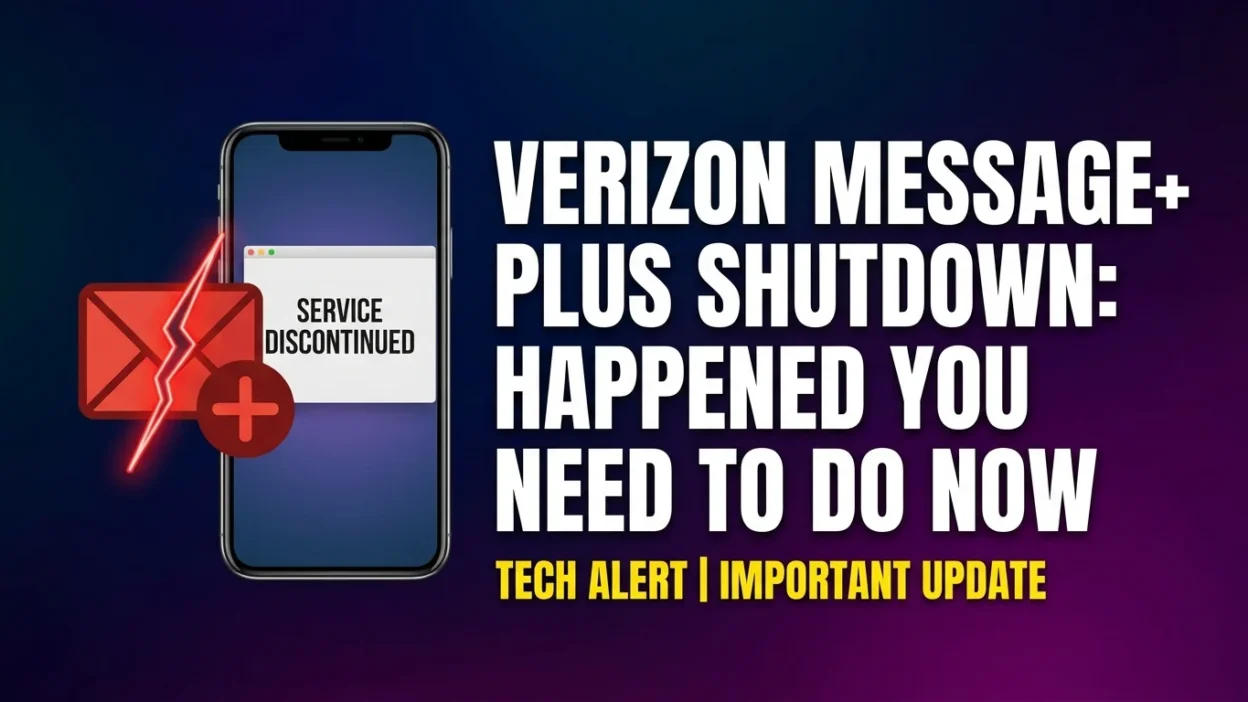
If you’re a who used the company’s Mesverizon message+ plus shutdown sage+ app, you’ve likely noticed a significant change: the app no longer works. As of December 9, 2026, erizon officially shut down its Message+ service, and you can no longer send or receive texts through it. This guide explains everything you need to know about what happened, why Verizon made this change, exactly what you need to do to keep texting on your Android phone, and how to navigate this transition smoothly.
Understanding the Verizon Message+ Shutdown
Verizon Message+ was a popular messaging application that allowed Verizon customers to send and receive text messages, photos, videos, and group messages across multiple devices. Many users relied on it for years to stay connected with friends, family, and colleagues. However, the mobile industry has evolved significantly, and Verizon made the strategic decision to retire its proprietary messaging solution.
What Exactly Happened?
On December 9, 2026, Verizon officially discontinued the Message+ app for all customers. This means:
- You can no longer send or receive messages through the Message+ app.
- The app itself remains on your phone but displays a full-screen shutdown notice.
- You are prompted to switch to a new default messaging app to continue texting.
- Your old messages are still stored on your device but are not accessible through Message+.
When Did the Shutdown Happen?
The shutdown occurred in stages to give customers time to prepare:
- October 2, 2026: Verizon began the shutdown process by notifying users and disabling certain features.
- November 7, 2026: The app was officially discontinued, though a grace period remained.
- December 9, 2026: The final shutdown date. The app became completely non-functional for sending and receiving messages.
If you open the Message+ app now, you’ll see a full-screen pop-up confirming the shutdown. This screen prevents access to your messages until you set up a new default messaging app.
Why Did Verizon Shut Down Message+?
Verizon’s decision to discontinue its own messaging app stems from a broader industry shift toward a more modern, secure, and universal communication standard. The company officially stated that it wants to provide the “best messaging experience” to its customers, and this transition is central to that goal.
The Move to RCS (Rich Communication Services)
The primary driver behind the shutdown is Verizon’s commitment to Rich Communication Services (RCS) . RCS is widely regarded as the next generation of texting, designed to replace the outdated SMS and MMS protocols that have been in use for decades.
What Is RCS?
RCS is a communication protocol that enhances traditional text messaging with features similar to those found in modern messaging apps like iMessage, WhatsApp, and Facebook Messenger. It represents a significant leap forward in mobile communication.
Key Features of RCS
RCS offers numerous advantages over traditional SMS and MMS:
1. High-Resolution Media Sharing Traditional MMS compresses photos and videos, often resulting in grainy, low-quality images. RCS allows you to share photos and videos in their original high resolution, preserving quality.
2. Read Receipts and Typing Indicators Just like iMessage or WhatsApp, RCS shows you when someone has read your message and when they are typing a reply. This adds a layer of real-time awareness to conversations.
3. Larger File Sharing With RCS, you can send files up to 100MB in size, making it much easier to share documents, high-quality images, and longer videos.
4. Enhanced Group Chat RCS improves group messaging with features like naming groups, adding or removing participants, and better management of group conversations.
5. End-to-End Encryption Google’s implementation of RCS offers end-to-end encryption for messages between Android users. This means that only the sender and recipient can read the messages, providing a significant security upgrade over standard SMS.
6. Rich Media Integration RCS supports features like sharing your location, making audio calls, and even video calls directly within the messaging interface.
Industry-Wide Adoption
The move toward RCS is not unique to Verizon. The entire mobile industry is transitioning to this modern standard:
- Google has been a major advocate for RCS, building it into the Google Messages app and making it the default messaging experience on Android devices.
- Apple announced support for RCS in iOS 18, marking a historic shift. For the first time, iPhone and Android users can have a seamless, modern texting experience with each other.
- Other carriers like AT&T and T-Mobile are also encouraging RCS adoption.
By discontinuing Message+ and pushing users to a unified platform like Google Messages, Verizon simplifies compatibility and ensures everyone, regardless of device, can enjoy these new features.
A More Unified User Experience
Maintaining a proprietary messaging app requires significant resources. By moving to Google Messages, Verizon can focus its efforts on network infrastructure while relying on a platform that is consistently updated and improved by Google. This benefits users through more frequent feature updates, better security patches, and a more consistent experience across different devices.
What Happened to Your Messages?
This is a critical concern for many users. The good news is that your SMS and MMS messages are not permanently lost. They remain stored on your device’s local storage and can be accessed through any other compatible SMS app you choose.
Where Are Your Messages Stored?
When you send or receive a text message, it is stored in a database file on your phone’s internal storage. This database contains all your SMS and MMS messages, regardless of which app you use to access them. Switching messaging apps does not delete this database.
What Happens When You Open Message+ Now?
If you try to open the Message+ app now, you’ll see a shutdown notice. The app displays a full-screen pop-up informing you that the service was discontinued on December 9, 2026. This screen prevents you from accessing your messages until you switch to a new app.
Will You Lose Your Message History?
No. Your message history is not deleted. However, you must set a new default messaging app to continue accessing your existing messages and to send or receive new ones. Verizon states that your message history will sync and be accessible within the new app you choose.
Important Note About Group Messages
While standard SMS and MMS messages transfer seamlessly, some enhanced group features specific to Message+ may not transfer. This could include custom group names, specific group settings, or advanced group management features. However, the actual message content and participants will remain intact.
Your Next Steps: How to Switch to Google Messages
For Android users, Verizon recommends switching to Google Messages, which is now preloaded on all new Verizon Android devices. The switch is straightforward and takes only a few minutes.
Step-by-Step Guide to Switching
Step 1: Download or Open Google Messages
If you don’t already have Google Messages installed, download it from the Google Play Store. Many Verizon Android phones already have the app preinstalled, so check your app drawer first.
Step 2: Make It Your Default Messaging App
When you open Google Messages for the first time, you will see a prompt to make it your default messaging app. Tap Set default SMS app and select Google Messages from the list of available apps.
Step 3: Allow Necessary Permissions
Google Messages will request permissions to access your messages, contacts, and storage. Grant these permissions to ensure the app functions properly.
Step 4: Wait for Synchronization
After setting it as default, Google Messages will sync your existing message history. This process usually takes a few seconds to a few minutes, depending on how many messages you have stored.
Step 5: Customize Your Settings
Once the app is set up, you can customize your settings:
- Enable dark mode for easier reading at night.
- Turn on RCS features (Chat features) for enhanced functionality.
- Set notification preferences for different contacts.
- Customize your message display and theme.
What About Your Message+ Settings?
Your custom Message+ settings—such as conversation colors, notification sounds, and background themes—will not transfer to Google Messages. You’ll need to set these preferences again in the new app. This is a small inconvenience for the broader benefits of the new platform.
Google Messages vs. Message+: Feature Comparison
While many features in Google Messages are comparable to what you had in Message+, there are some differences worth noting. Here’s a detailed comparison to help you understand what’s changed.
FeatureVerizon Message+Google MessagesSending and Receiving TextsYesYesSending and Receiving MMSYesYesMessage History StorageStored locally on deviceStored locally on deviceMessage SchedulingYesYes (long press on send button)Dark ModeYesYesCustom Bubbles and BackgroundsYesYes (limited customization)Auto-Save Photos and MediaYesNo — media must be saved manuallyEnd-to-End Encryption (Android to Android)NoYesCross-Device SyncingYes (Verizon Cloud integration)Yes (Google Messages for Web)Read ReceiptsBasic implementationYes (with RCS enabled)Typing IndicatorsBasic implementationYes (with RCS enabled)High-Resolution Media SharingLimitedYes (with RCS)Group Chat EnhancementsYesYes (more robust with RCS)Device CompatibilityVerizon devices onlyAny Android deviceCarrier BrandingHeavy Verizon brandingMinimal brandingUpdate FrequencyInfrequentRegular updates from Google
Notable Advantages of Google Messages
- End-to-End Encryption: Your messages between Android users are more secure.
- Regular Updates: Google continuously improves the app with new features.
- Wider Compatibility: Works seamlessly with all Android devices, not just Verizon phones.
- Better Cross-Platform Integration: Improved compatibility with iPhone users through RCS.
- Google Ecosystem Integration: Works well with other Google services like Google Drive for backups.
What You Might Miss About Message+
Some users have expressed frustration about the loss of certain Message+ features. These include:
- Auto-Save for Photos: Message+ automatically saved received images to your device. In Google Messages, you must manually save each image.
- Customization: Message+ offered more extensive customization options for chat backgrounds and bubble styles.
- Simplified Backup: Message+ integrated directly with Verizon Cloud for easy backups.
What About iPhone Users?
If you use an iPhone or iPad, the Message+ shutdown does not affect you. iPhones have always used Apple’s Messages (iMessage) app for texting and were never dependent on Verizon’s proprietary messaging solution.
Why iPhone Users Are Unaffected
Apple has its own closed messaging ecosystem that operates independently of carrier-specific apps. iMessage offers many of the same advanced features as RCS, including read receipts, typing indicators, and high-quality media sharing. For this reason, Verizon never encouraged iPhone users to adopt Message+.
What About RCS on iPhone?
Apple announced support for RCS in iOS 18. This means that in the future, iPhone users will be able to enjoy enhanced messaging features when texting Android users. However, iPhone users will still use the Apple Messages app; the change happens behind the scenes to improve compatibility.
Alternative Messaging Apps
While Verizon recommends Google Messages, you’re not required to use it. You can choose any SMS messaging app from the Google Play Store. Here are some popular options:
Google Messages
- Pros: RCS support, end-to-end encryption, regular updates, free.
- Cons: Limited customization, manual media saving.
Textra SMS
- Pros: Highly customizable, many themes and styles, auto-save media options.
- Cons: No RCS support (SMS/MMS only), paid pro version.
Chomp SMS
- Pros: Customizable, built-in emoji support, scheduled messages.
- Cons: No RCS support, dated interface.
Microsoft SMS Organizer
- Pros: Smart organization of messages, appointment extraction, reminders.
- Cons: No RCS support, limited availability.
Pulse SMS
- Pros: Cross-platform support, web client, good syncing.
- Cons: Subscription required for cross-device features, no RCS support.
Important Note About Alternatives
Currently, only Google Messages offers full RCS support and end-to-end encryption for Android-to-Android messaging. If these features are important to you, Google Messages is your best choice. Other SMS apps are limited to SMS and MMS protocols, which lack modern features and security enhancements.
Troubleshooting Common Issues After the Switch
If you’ve switched to Google Messages and run into problems, here are some common issues and solutions.
Issue 1: Messages Not Displaying
Solution: Ensure Google Messages is set as your default SMS app. Go to Settings > Apps > Default Apps > SMS App and select Google Messages. If messages still don’t appear, restart your phone.
Issue 2: Can’t Send or Receive Messages
Solution: Check your network connection. Ensure airplane mode is off. Try restarting your phone. If the problem persists, contact Verizon support.
Issue 3: Missing Group Messages
Solution: Group messages may appear as individual threads if your settings are incorrect. In Google Messages, go to Settings > Advanced > Group Messaging and ensure it’s set to “Send an SMS reply to all recipients and get individual replies (mass text).”
Issue 4: Can’t Send High-Resolution Photos
Solution: Ensure RCS (Chat features) are enabled in Google Messages. Go to Settings > Chat Features and ensure it’s turned on. Both you and the recipient must have RCS enabled for high-resolution sharing.
Issue 5: Voice Messages Not Playing
Solution: Ensure you have granted necessary permissions. Check that your media volume is turned up. Try restarting the app or your phone.
Issue 6: Backup Not Restoring
Solution: If you backed up your messages with Google One or another service, ensure you’re signed in with the same Google account. Go to Settings > Backup and restore to initiate a restore.
Frequently Asked Questions
What happened to the Verizon Message+ app?
Verizon officially shut down the Message+ app on December 9, 2026. You can no longer use it to send or receive text messages. The app displays a full-screen notification about the shutdown and prompts you to switch to a new messaging app.
Why is Verizon discontinuing Message+?
Verizon is shifting to Google Messages to align with the modern Rich Communication Services (RCS) standard. RCS offers a more interactive, feature-rich, and secure messaging experience compared to traditional SMS and MMS. The move also simplifies messaging across different carriers and devices.
What happens to my old messages?
Your SMS and MMS messages are stored locally on your phone. They remain accessible after you switch to a new default messaging app, such as Google Messages. Your message history will sync and be available in the new app.
What app should I switch to for Android?
Verizon recommends switching to Google Messages, which is now preloaded on all Verizon Android devices. It offers RCS features, end-to-end encryption, and regular updates.
How do I switch to Google Messages?
Download or open Google Messages. When you open it, you’ll be prompted to make it your default SMS app. Tap “Set default SMS app” and select Google Messages. Grant the necessary permissions, and your messages will sync automatically.
Do I have to use Google Messages?
No. While Verizon recommends it, you can use any other SMS messaging app from the Google Play Store. However, Google Messages is the only app that provides full RCS support and end-to-end encryption for Android-to-Android messaging.
What if I have an iPhone?
The Message+ shutdown does not affect iPhone users. iPhones have always used Apple’s Messages (iMessage) app. You can continue using iMessage as usual.
Will my message history transfer to Google Messages?
Yes. Your SMS and MMS message history is stored locally on your device. Once you set Google Messages as your default app, it will sync and display your existing messages.
What features did I lose with Message+?
Some users have reported losing features such as auto-saving photos, extensive customization options, and direct integration with Verizon Cloud for backups. However, Google Messages offers other advantages like end-to-end encryption and regular updates.
Can I still access messages through my computer?
Yes. Google Messages offers a web interface called Messages for Web. You can send and receive messages from any computer by scanning a QR code from your phone. This replaces the cross-device syncing that Message+ offered.
Conclusion: Embracing the Future of Messaging
The shutdown of Verizon Message+ marks the end of an era for the carrier’s proprietary messaging service. While change can be disruptive and frustrating, this transition represents a significant step forward in the evolution of mobile communication. By adopting RCS through Google Messages, Verizon users gain access to a more modern, secure, and feature-rich messaging experience.
Key Takeaways
- The app is gone: Verizon Message+ is officially shut down and no longer functional.
- Your messages are safe: Your SMS and MMS message history is stored locally on your device and can be accessed through a new messaging app.
- Switch to Google Messages: For the best experience, Verizon recommends Google Messages with full RCS support and end-to-end encryption.
- Consider alternatives: While Google Messages is recommended, you can choose other SMS apps from the Play Store.
- The future is RCS: The industry is moving toward RCS as the universal messaging standard, promising a better experience for all users.
Final Advice
Take a few minutes to download Google Messages (if you don’t already have it) and set it as your default app. Your messages will be accessible, and you’ll be ready to enjoy the modern features that RCS offers. If you encounter any issues, Verizon customer support can assist with the transition.
The most important thing to remember is that this change was made to improve your messaging experience. With RCS support, Google Messages offers a more consistent, secure, and feature-rich way to stay connected. Embrace the change, and you’ll find that texting on your Android device is better than ever.

Amelia Brooks is a passionate writer specializing in text meanings, slang, and digital communication trends. She simplifies modern messaging to help readers understand every text with ease.