
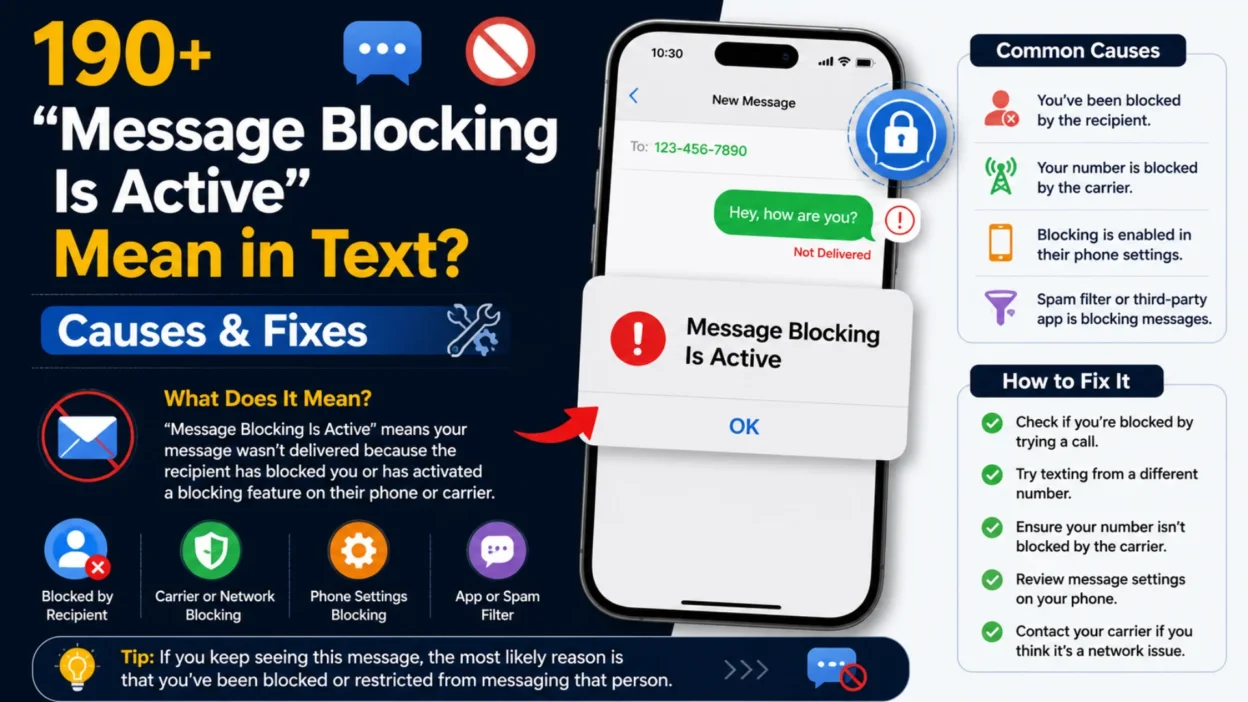
You’re about to send a quick text to a friend or family member. You type out the message, hit send, and instead of the usual “Delivered” confirmation, you receive a reply that reads: “Free Msg: Unable to send message – Message Blocking is active.” It’s confusing, frustrating, and there’s no clear explanation of what went wrong or how to fix it. If you’ve encountered this error, you’re not alone. In 2026, many smartphone users across both Android and iPhone platforms face this exact issue .
The error typically appears when your device fails to send a text message, but the cause isn’t always obvious. Some mistakenly assume the recipient has blocked them. Others believe there’s a serious problem with their phone’s hardware. The reality is usually less dramatic and, more importantly, fixable. This error stems from a range of possible sources: a simple account restriction, a temporary software glitch, or a specific setting within your phone’s messaging app. Understanding what “Message Blocking Is Active” actually means is the crucial first step in getting your messaging back on track .
“Message Blocking Is Active” Mean? 📖
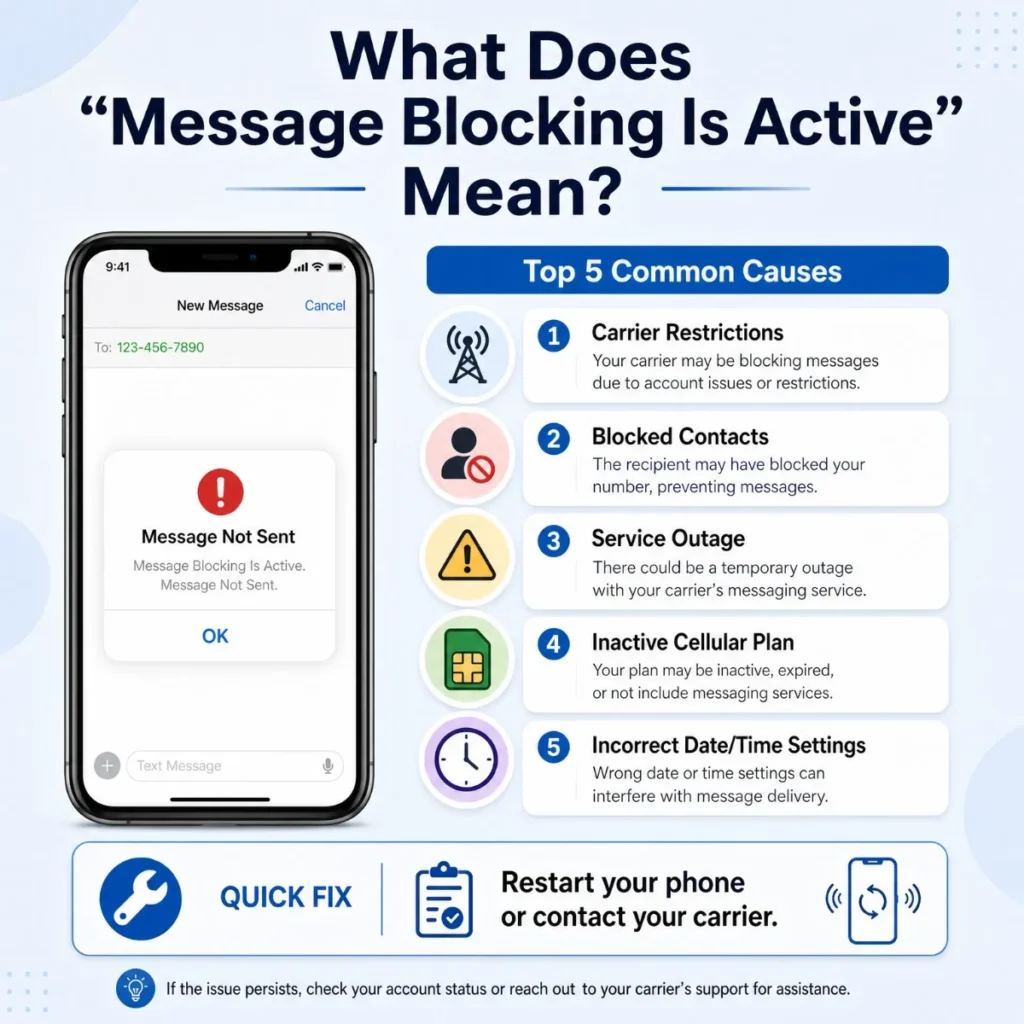
In simple terms, the “Message Blocking Is Active” error is an automated response, usually generated by your cellular network carrier, indicating that your text messaging (SMS) service has been temporarily restricted or disabled .
It’s important to understand this is typically a restriction on your line or account, not on the recipient’s device. While it can sometimes be caused by blocking a contact on your own phone, in many cases, the source of the problem lies with your mobile service provider .
Think of it like this: the text message equivalent of a “barred” or “restricted” call. You’re trying to connect, but something is preventing the network from completing that connection for you. The error often appears as: “Free Msg: Unable to send message – Message Blocking is active” .
Why Does My Phone Say Message Blocking Is Active? 🤔
The root cause of this error can vary, but it almost always points to a communication breakdown between your device and your carrier’s network. The error message is the carrier’s way of telling your phone, “I can’t let you send this text right now.”
A primary reason for this is a feature managed directly by your mobile provider. Carriers like T-Mobile and others offer a “Message Blocking” service that can be activated for several reasons :
- Account-Specific Issues: Your carrier has placed a restriction on your line.
- Unpaid Bills: A common cause, carriers may block outgoing SMS if your account falls behind on payments .
- Short Code or Premium SMS Blocks: Your line may have restrictions for sending messages to 5-6 digit numbers (short codes), which are used for services like two-factor authentication, banking alerts, or automated notifications. This is more common on T-Mobile and its MVNOs .
- Parental Controls: Your account may have parental controls enabled that restrict messaging .
- Prepaid Plan Exhaustion: If you’re on a prepaid plan and your balance is too low or your plan doesn’t include SMS, your carrier will block messages .
- Spam Protection: Carriers can proactively block numbers they suspect of sending spam .
Key Difference: Blocked vs. Message Blocking 🔍
One of the most common questions is whether “Message Blocking Is Active” means the recipient has blocked you.
- Message Blocking Is Active: This error generally indicates a problem on your side or with your carrier. It is usually the result of a system-level block or a service restriction on your account . You’ll receive the automated error message in reply.
- You’ve Been Blocked by Someone: If a specific person has blocked your number, your messages will still appear as “Sent” or “Delivered” on your end. The recipient will not receive your texts or calls, and you will not receive a notification like “Message Blocking Is Active.” The silent failure is the key indicator of being personally blocked .
In short: the error message is about your account, not the recipient’s decision.
7 Common Causes of Message Blocking Is Active 📋
The “Message Blocking Is Active” error appears for numerous reasons. The good news is that most are easily fixed. Here are the most common causes:
- Carrier-Service Restriction: Your cellular provider has applied a block to your line’s SMS functionality. This might be for unpaid bills, a plan that doesn’t include messaging, or a requested restriction .
- Accidental Block of Contact: You have mistakenly added the recipient’s number to your phone’s blocked list, either in the main phone or messages settings .
- Incorrect SMS Center Number: A wrong or missing SMS center number (SMSC) on your phone can prevent messages from being routed correctly .
- iMessage/RCS Chat Conflicts: On iPhone, the phone might be stuck trying to send an iMessage when SMS fallback is disabled. On Android, a problem with RCS chats can cause similar issues. This is becoming a more common cause in 2026, especially when mixing Samsung Messages and Google Messages .
- Temporary Network Glitch: A simple software bug or signal issue can cause the messaging service to fail temporarily .
- Inactive SIM/eSIM or Wrong Line: Your SIM card might be deactivated, or if you’re using a Dual-SIM phone, you might be trying to send from a line without SMS capabilities .
- Short-Code Message Blocking: Your carrier is blocking messages to short codes (5-6 digit numbers) used for verification codes and automated alerts. This is particularly common with T-Mobile .
How to Fix “Message Blocking Is Active”: Step-by-Step 🛠️
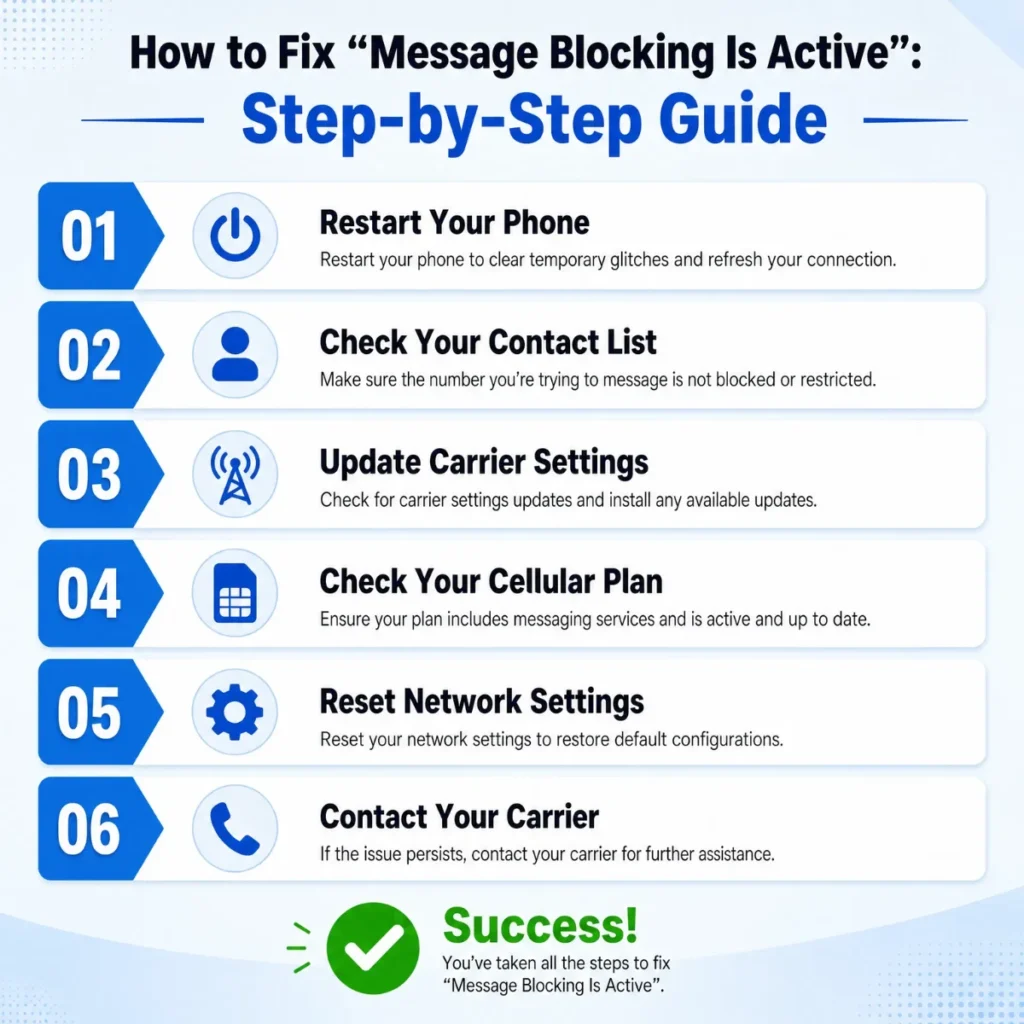
Follow these steps in order to resolve the error. They progress from simple checks to more advanced troubleshooting.
1. Check Your Blocked Contacts List (Easy)
The first and simplest check is to see if you accidentally blocked the contact.
- For Android: Open your Phone app, tap the three dots for settings, and look for “Blocked Numbers.”
- For iPhone: Go to Settings > Phone > Blocked Contacts (also check Settings > Messages > Blocked Contacts) .
- If the number is listed, tap Edit (on iPhone) or the – icon (on Android) and select Unblock.
2. Verify the Recipient’s Phone Number (Easy)
A simple typo can cause the error . Double-check the number and ensure you’re using the correct country code for international numbers.
3. Restart Your Phone (Easy)
A restart clears temporary software bugs .
- Press and hold the power button.
- Tap “Restart” and wait for the phone to reboot.
4. Toggle Airplane Mode (Easy)
This refreshes your connection to the network .
- Swipe down to open your Quick Settings panel and tap the airplane icon to turn it on.
- Wait 10-15 seconds, then tap it again to turn it off.
- Once your network reconnects, try sending the message again.
5. Check Your Mobile Plan & Billing (Medium)
A common culprit is a billing or account issue .
- Log into your carrier’s app or website.
- Verify your bill is paid, your plan is active, and that SMS/MMS is included in your plan.
- If you’re on a prepaid plan, check your balance.
6. Turn Off iMessage or RCS for Testing (Medium)
This helps determine if a conflict with an advanced messaging service is the cause .
- On iPhone: Go to Settings > Messages and toggle iMessage off. Try sending the text as a standard SMS. Ensure “Send as SMS” is also enabled (also found in Settings > Messages).
- On Android: Open Google Messages, tap your profile picture, go to Messages settings > RCS chats, and toggle RCS chats off. Try sending your message again.
7. Update Your Phone’s Software (Medium)
Outdated software can cause compatibility issues .
- On Android: Go to Settings > Software Update > Download and Install.
- On iPhone: Go to Settings > General > Software Update.
Fixing the Issue on iPhone 📱
iPhone users have a few specific settings to check. The most common culprit is accidental blocking in the Phone or Messages apps . Therefore, the first and most important step is to go to Settings > Phone > Blocked Contacts and Settings > Messages > Blocked Contacts to unblock any unwanted numbers.
Another common fix is toggling iMessage off and on . Go to Settings > Messages, turn off iMessage, wait 20 seconds, and turn it back on. If you’re still having trouble, ensure you have a stable network connection and consider resetting your network settings as detailed above. However, if you still see the error, particularly when texting one contact, an RCS conflict might be the issue .
Fixing the Issue on Android 🤖
On Android, the troubleshooting process starts similarly. Check your phone’s block list within the dialer app. However, a more common issue on newer Samsung devices involves RCS and app conflicts .
Samsung Messages is being phased out in favor of Google Messages on many U.S. Samsung phones. If you’re using Samsung Messages and see the error, particularly when texting users of Google Messages, you may need to switch to Google Messages or enable the chat feature (RCS) in your Samsung Messages app .
Users have reported that a conflict between Samsung Messages (with RCS disabled) and Google Messages (with RCS enabled) caused the “Message Blocking Is Active” error. The solution was to turn on the chat function in Samsung Messages . If your Android phone uses Google Messages, you can also try temporarily turning off RCS chats in the settings to test if it’s the cause .
When to Contact Your Carrier 📞
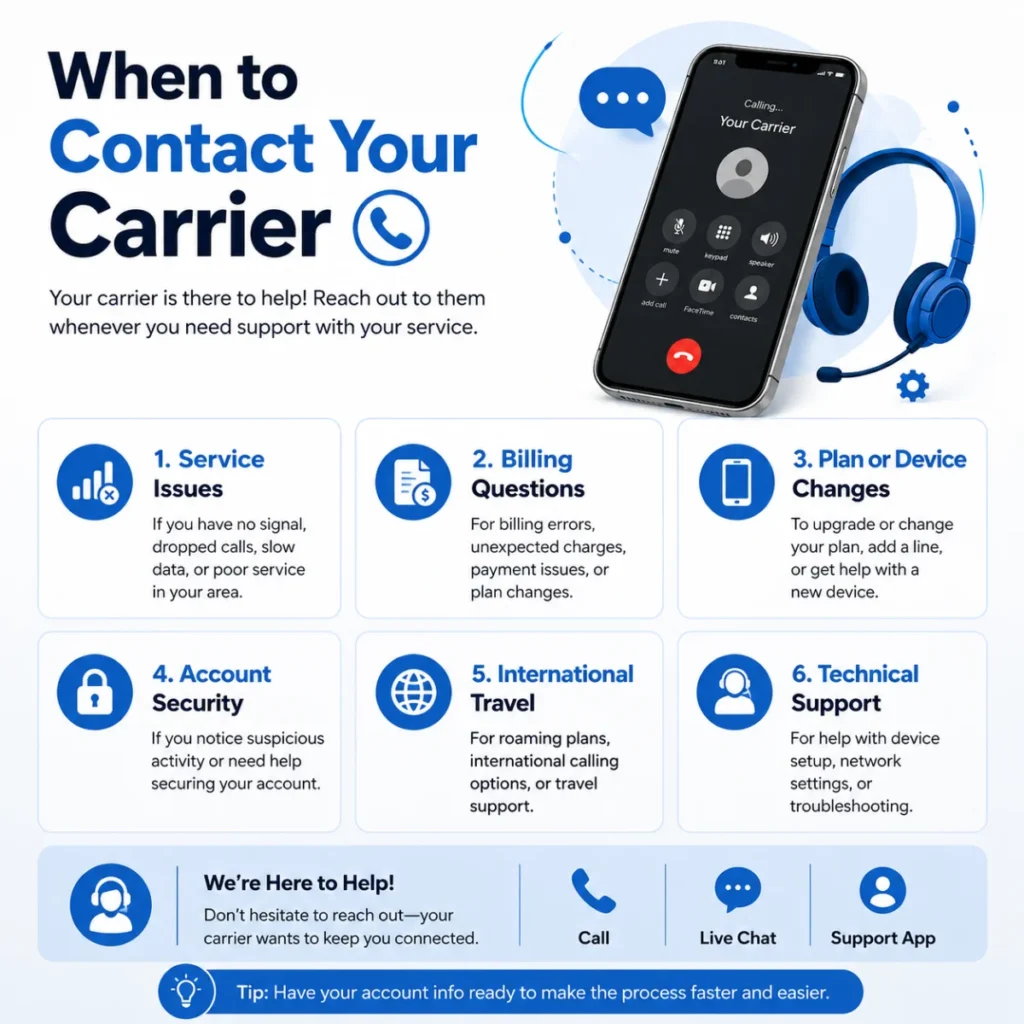
If you’ve tried all the phone-based solutions and the error persists, it’s time to contact your mobile carrier. This step is crucial because the problem often originates from a restriction on your account that only they can resolve .
Before calling, gather the following information:
- The exact error message text.
- Whether the error happens with one specific contact or with everyone you text .
- Whether calls and mobile data are still working.
- If you recently changed your SIM, eSIM, or phone .
- If your billing or plan changed recently.
When you speak to support, ask them to check for:
- SMS blocking on your line .
- Short-code or Premium SMS restrictions .
- Any account suspension or service limitations .
- SIM/eSIM activation issues .
Prevention Tips 🛡️
Once you’ve fixed the issue, adopt these habits to avoid encountering it again:
- Regularly Review Blocked Contacts: A quick check can prevent accidental blocks from lingering .
- Keep Your Phone and Apps Updated: Ensure your messaging app and the phone’s operating system are always up to date .
- Monitor Your Mobile Plan Status: Stay on top of your bill payments and prepaid balances .
- Restart Your Phone Periodically: A weekly restart can clear temporary glitches .
- Double-Check Settings When Switching Phones: If you switch to a new phone, a new SIM, or eSIM, ensure your messaging settings are correctly configured .
🎯 Conclusion: Key Takeaways
The “Message Blocking Is Active” error is a frustrating but usually solvable texting problem. It primarily indicates a restriction from your carrier or a setting conflict on your phone, not that someone has blocked you .
Start with the simplest fixes—checking for accidentally blocked contacts, restarting your phone, and verifying your signal . If those don’t work, the problem often lies with your carrier account (unpaid bills, short-code blocks, or plan restrictions) or a messaging feature conflict like iMessage or RCS . The final and most effective step is to contact your carrier and confirm your line is active and has messaging enabled . By following the structured guide above, you’ll have your messaging back up and running smoothly.
❓ Frequently Asked Questions About “Message Blocking Is Active”
🤔 What does “Message Blocking Is Active” mean on a text message?
It’s an automated response from your carrier informing you that SMS messaging on your line has been restricted. This is usually due to a carrier setting, an account issue like an unpaid bill, or an accidental block on your phone .
💡 Does “Message Blocking Is Active” mean someone blocked me?
No. This is a common misconception. This error usually indicates a problem with your own carrier account or device settings. If a specific person has blocked you, you won’t receive any notification; your messages will just appear as sent on your end .
📱 How do I fix “Message Blocking Is Active” on my iPhone?
Start by checking your blocked contacts in Settings > Phone > Blocked Contacts and Settings > Messages > Blocked Contacts. If the number is not blocked, try toggling iMessage off and on in Settings > Messages. If the problem persists, reset your network settings or contact your carrier .
🤖 How do I fix “Message Blocking Is Active” on my Android phone?
First, check your blocked numbers list in your dialer app. Then, try turning off RCS chats in Google Messages settings to see if that resolves the issue. If you’re using Samsung Messages, especially with other users on Google Messages, you may need to enable the chat feature (RCS) in your Samsung Messages app .
📞 Why is my carrier blocking my text messages?
Carriers can block SMS for several reasons. The most common is an overdue bill or an account issue . They can also block short-code messages (5-6 digit numbers) or apply restrictions if they suspect spam activity .
💰 Can an unpaid bill cause the “Message Blocking Is Active” error?
Yes, this is one of the primary causes. Carriers will often restrict outgoing SMS and sometimes even incoming texts to encourage you to pay your bill .
📨 What is a short code and why is it blocked?
A short code is a 5-6 digit number used by companies for services like two-factor authentication, bank alerts, and subscription services . If your carrier blocks short-code messaging, you’ll see the “Message Blocking Is Active” error when trying to send a text to one of these numbers .
🔄 Why do I get this error when texting one specific person?
This usually means you have accidentally blocked that person’s number on your device . On newer Samsung phones, it can also be an RCS compatibility issue, especially if they are using Google Messages while you’re using Samsung Messages .

Amelia Brooks is a passionate writer specializing in text meanings, slang, and digital communication trends. She simplifies modern messaging to help readers understand every text with ease.

Normally I don’t learn article on blogs, but I
would like to say that this write-up very compelled me to check out and do it!
Your writing taste has been amazed me. Thanks, very nice article.
Here is my blog – web site
Thanks