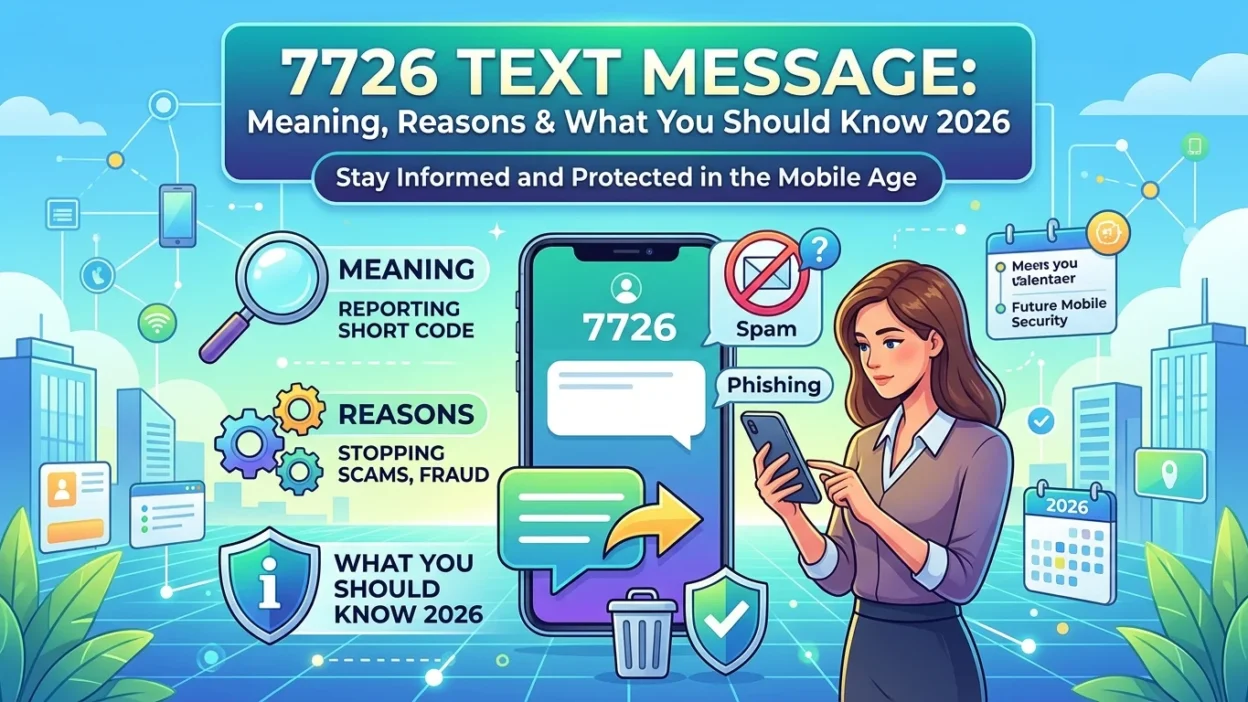
Your phone buzzes with an unexpected 7726 text message claiming you’ve won a luxury vacation, owe a parking fine, received a package, or that a family member needs urgent financial help. These are common tactics scammers use to steal personal information, payment details, or money. Fortunately, there is a simple and free way to report suspicious messages by using the 7726 shortcode.
The number 7726 spells “SPAM” on an alphanumeric phone keypad, making it easy to remember when you receive an unwanted or suspicious text. The service allows participating mobile customers to forward spam and scam messages to their carrier for investigation. Depending on the carrier and country, reports can help identify fraudulent campaigns, investigate senders, and improve spam filtering.
Knowing what a 7726 text message means, how the reporting service works, and what you should do after receiving a suspicious message can help you avoid scams. It can also help mobile providers identify fraudulent campaigns and protect other customers.
📌 What Is a 7726 Text Message?
A 7726 text message generally refers to a suspicious or unwanted text that you can report to your mobile provider using the 7726 shortcode. The number was chosen because 7726 spells SPAM on a traditional phone keypad.
Instead of simply deleting a suspicious message, you can forward it to 7726 when your carrier supports the service. Your provider can then use the report to investigate the message and identify patterns associated with spam, phishing, fraud, or other unwanted communications.
The exact reporting process can vary by carrier. Some providers may ask you to forward the suspicious message first and then provide the sender’s phone number in a follow-up reply. Others may process the forwarded message automatically.
The important point is that 7726 is designed as a spam-reporting channel, not as a number that scammers use to contact customers.
It is especially useful when a message contains suspicious links, unexpected payment requests, fake prizes, account warnings, delivery claims, or other pressure tactics.
🔍 Why Does 7726 Spell SPAM?
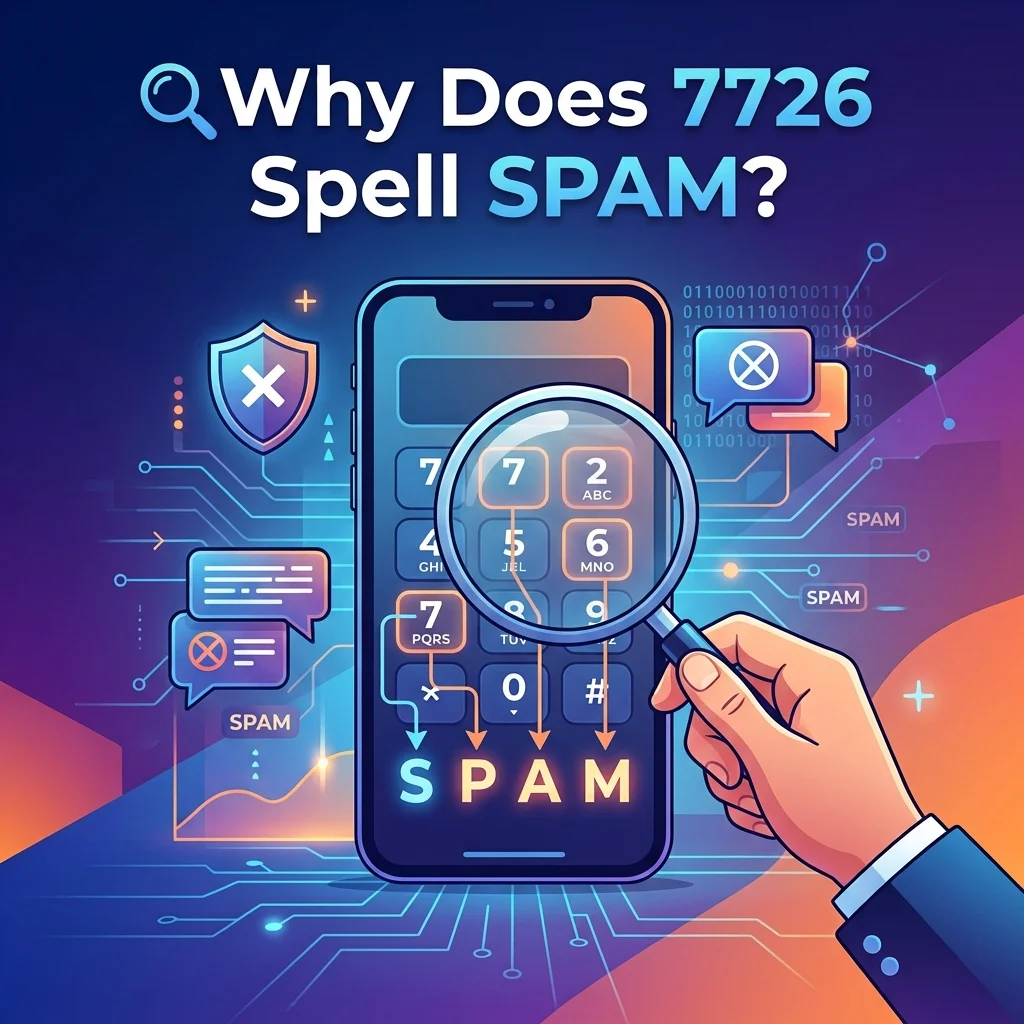
The 7726 shortcode is easy to remember because the numbers correspond to the letters S-P-A-M on a traditional mobile phone keypad.
The mapping works like this:
NumberLetter7P, Q, R, S7P, Q, R, S2A, B, C6M, N, O
Using the appropriate letters gives SPAM, which makes 7726 a memorable reporting number.
This simple design is useful because people do not have to remember a long telephone number when they encounter a suspicious text. They can simply remember that 7726 means SPAM.
The service is intended to make reporting easier for ordinary mobile users. The more suspicious messages that carriers receive through legitimate reporting channels, the more information they have to identify patterns and potentially take action against abusive senders.
📱 How Does the 7726 Reporting Service Work?
Reporting a suspicious text through 7726 is generally straightforward.
When you receive a message that appears fraudulent or unwanted, you can forward it to 7726 if your carrier participates in the service. Your provider may then analyze information associated with the message.
The process commonly works as follows:
- Receive a suspicious or unwanted text.
- Do not click any links inside the message.
- Do not reply to the sender.
- Forward the suspicious message to 7726.
- Follow any instructions in the automated response.
- Provide the sender’s number if your carrier requests it.
- Block and delete the original message after reporting it.
The purpose is not simply to punish one sender. Reports can help carriers understand broader spam campaigns and improve their ability to detect similar messages.
📱 Reporting a 7726 Text Message on iPhone
If you use an iPhone, the exact steps can vary slightly depending on your iOS version and messaging app.
A typical process is:
- Open the Messages app.
- Open the suspicious text.
- Press and hold the message.
- Choose the appropriate forwarding or sharing option.
- Enter 7726 as the recipient.
- Send the message.
- Follow any instructions you receive afterward.
Some messaging services may also provide a built-in option for reporting junk directly from the conversation.
If your carrier gives specific instructions for reporting spam, follow those instructions instead.
🤖 Reporting a 7726 Text Message on Android
Android phones can use different messaging applications, so the steps may differ slightly.
In many cases:
- Open your Messages app.
- Select the suspicious message.
- Press and hold the message.
- Select Forward.
- Enter 7726.
- Send the message.
- Respond to any automated request from your carrier.
Some Android messaging apps also include a Report spam option. If available, you can use that feature as well.
📞 Can You Report Scam Calls to 7726?
Some participating carriers also support reporting suspicious calls through 7726.
The process can differ by carrier. In supported systems, you may be instructed to send CALL followed by the suspicious caller’s number to 7726.
For example, a carrier may instruct you to send:
CALL 5551234567
However, do not assume every carrier uses exactly the same process. Check your carrier’s current instructions if you want to report a suspicious phone call.
🔒 Why Is the 7726 Text Message Service Important?
Spam texts are more than an annoyance. Some are designed to trick people into visiting fake websites, providing passwords, revealing payment information, or sending money.
A single scam campaign can target thousands of people. Even if most recipients recognize the fraud, some victims may still respond.
Reporting a 7726 text message gives your mobile provider additional information about suspicious activity. This can contribute to broader efforts to identify fraudulent senders and improve spam detection.
The service also gives consumers a practical alternative to simply deleting suspicious texts. Instead of ignoring the message, you can report it and help your carrier understand what types of scams are reaching its customers.
Reporting does not guarantee that a sender will immediately be blocked. However, it can provide useful intelligence that supports carrier investigations and filtering systems.
🚨 Common Scams You Can Report to 7726
Scammers constantly change their stories. However, many fraudulent texts follow familiar patterns.
Understanding these patterns makes it easier to recognize a suspicious message before you interact with it.
👨👩👧 Family Emergency Scams
A scammer may pretend to be your child, relative, friend, or another person you know.
The message may claim that their phone was lost, damaged, or replaced. The sender then asks for urgent financial help.
For example, the message might say that they need money to pay a bill, buy a ticket, or resolve an emergency.
The pressure is intentional. Scammers want you to act before you have time to verify the story.
If you receive an unexpected emergency request, contact the person through a phone number or communication method you already trust.
🎁 Fake Prize and Giveaway Scams
Another common scam claims that you have won money, a vacation, a gift card, or another valuable prize.
The message may say that you only need to click a link to claim your reward.
Legitimate prizes generally do not require you to provide sensitive information through a random text message. Be particularly cautious if the message asks for a payment, password, bank information, or verification code before releasing a supposed prize.
🚗 Fake Parking and Traffic Fine Messages
Parking and traffic-fine scams have become a common phishing technique.
A fraudulent text may claim that you have an unpaid parking charge or traffic penalty. It may include a link that looks like an official government or transportation website.
The fake website may then request your card information or personal details.
Never assume a payment request is legitimate simply because the message uses official-looking logos or language. Instead, visit the relevant organization’s official website independently.
💼 Recruitment and Job Scams
Recruitment scams often promise easy work, flexible hours, or unusually high earnings.
A message might claim that a company is urgently hiring and ask you to click a link, contact someone through a messaging app, or provide personal information.
Some job scams eventually ask victims to pay fees or purchase equipment. Others attempt to collect identity information.
If you did not apply for a position, be especially cautious about unexpected recruitment messages.
🚘 Car Finance Compensation Scams
Scammers may use current financial news or popular consumer issues to make their messages appear credible.
For example, a fraudulent text may claim that you are entitled to compensation related to car finance and encourage you to complete a claim through a link.
The message may use phrases such as “check your eligibility” or “claim for free.”
Instead of clicking the link, independently research the company or contact the relevant organization using information from a trusted source.
❄️ Winter Fuel Payment Scams
Seasonal scams often appear when people are expecting government payments or financial assistance.
A fraudulent message may claim to help you receive a winter fuel payment or another benefit. It may then request personal details or direct you to a fake website.
Government-related scams are especially effective because they exploit genuine public programs.
Always verify benefit information through the official government website rather than relying on a link contained in an unexpected text.
⚠️ How to Recognize a Suspicious 7726 Text Message
Not every unexpected text is a scam, but certain warning signs should make you cautious.
🚩 Unexpected Contact
Be suspicious if a company, organization, or person suddenly contacts you about something you were not expecting.
For example, receiving a message about an order you never placed is a strong reason to investigate before clicking anything.
🚩 Urgent Language
Scammers often create a sense of urgency.
Messages may claim that your account will be closed, your payment will fail, your package will be returned, or a fine will increase unless you act immediately.
Pressure is one of the most common manipulation techniques.
🚩 Suspicious Links
A message containing a link deserves extra attention, particularly when the link uses a strange domain or shortened URL.
Do not click the link simply to find out where it goes.
Instead, visit the organization’s official website manually.
🚩 Requests for Sensitive Information
Be cautious when a text asks for:
- Passwords
- Banking information
- Credit card details
- Social Security information
- Verification codes
- Account login details
- Personal identification information
Never provide sensitive information simply because a message claims to come from a trusted company.
🚩 Payment Requests
Unexpected demands for gift cards, cryptocurrency, bank transfers, card payments, or other forms of payment are major warning signs.
A legitimate organization should be independently verifiable before you make any payment.
🛡️ What Should You Do After Receiving a Suspicious Text?
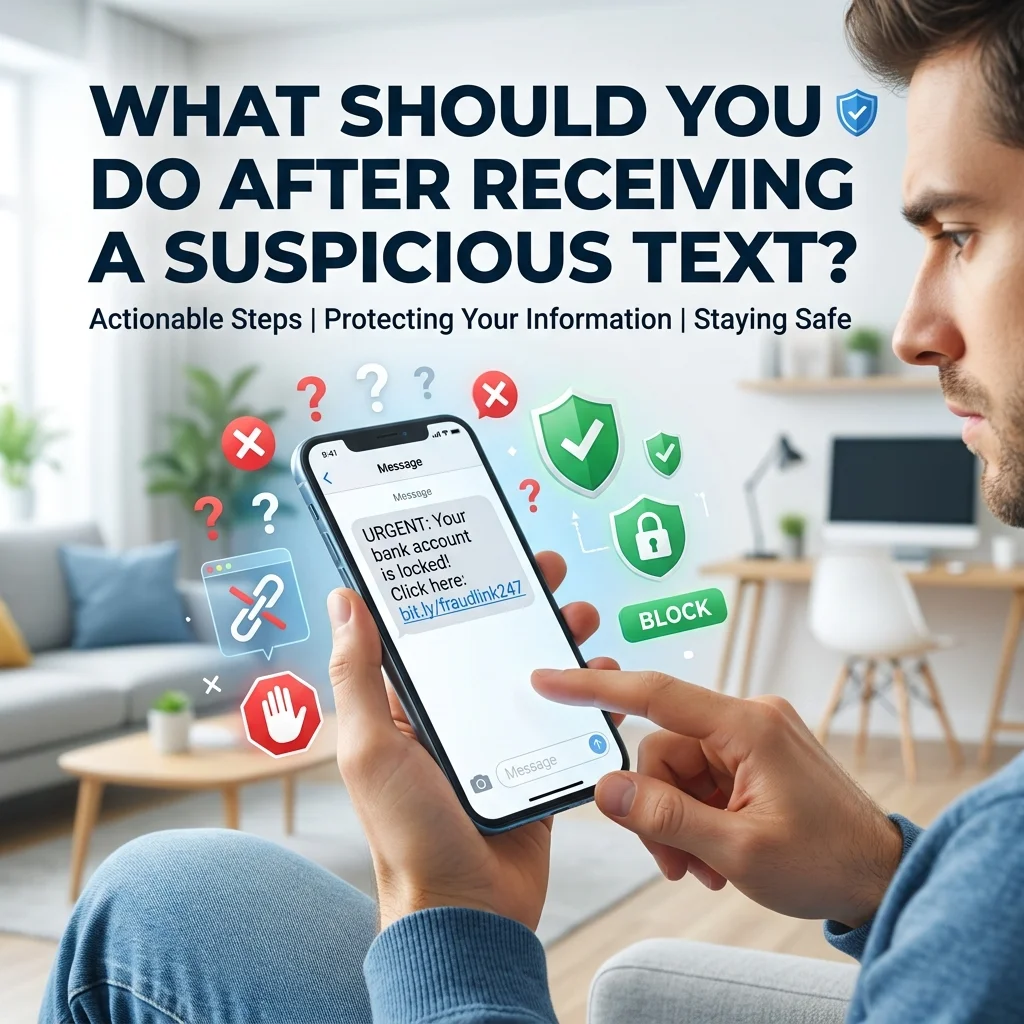
Knowing what not to do is just as important as knowing how to report a suspicious message.
1. Do Not Click the Link
Avoid clicking links inside suspicious texts.
A link may lead to a fake login page designed to steal your credentials. It could also direct you to a malicious website.
If you need to visit the company mentioned in the message, type its official web address yourself or use a trusted bookmark.
2. Do Not Reply
Do not respond to suspicious messages.
Even replying with something simple such as “STOP” can potentially confirm that your number is active.
If a legitimate company contacts you, verify the message through an official channel before responding.
3. Do Not Share Personal Information
Never provide passwords, payment information, verification codes, or other sensitive details in response to an unexpected text.
A professional-looking message can still be fraudulent.
4. Verify the Claim Independently
If the message says there is a problem with your bank account, delivery, tax payment, parking fine, or another service, check it independently.
Open the organization’s official website or app yourself.
Do not use the contact information or links supplied in the suspicious message.
5. Forward the Message to 7726
If the message is spam or appears fraudulent, report it to 7726 when your carrier supports the service.
This gives your provider information that may help with future detection and investigation.
6. Block the Sender
After reporting the message, block the sender through your phone’s messaging controls.
Blocking prevents further messages from that particular number, although scammers can sometimes switch numbers.
7. Delete the Message
Once you have reported the suspicious text and saved any information you need for a fraud report, you can delete it.
If you believe you have already been scammed, keep relevant evidence such as screenshots, sender information, transaction records, and website addresses.
🌎 Who Can Use the 7726 SPAM Service?
The 7726 reporting system is used by mobile providers in multiple markets, but availability and procedures can vary by country and carrier.
🇬🇧 United Kingdom
7726 is widely recognized in the UK as a free spam-reporting shortcode.
UK mobile customers can generally forward suspicious texts to 7726 to help their mobile provider investigate unwanted or fraudulent messages.
Some providers also support reporting suspicious calls through the service.
The exact automated response and follow-up instructions may depend on the carrier.
🇺🇸 United States
Major US mobile carriers have supported spam reporting through 7726.
Customers may be able to forward unwanted text messages to the shortcode and help carriers improve their spam filtering systems.
Because carrier procedures can change, follow the instructions provided by your mobile network.
🇨🇦 Canada
Canadian mobile providers have also used 7726 for reporting spam and unwanted messages.
The service can provide carriers with information about emerging spam campaigns and help improve protection for customers.
Availability and specific reporting steps depend on the provider.
🌍 Other Countries
The 7726 shortcode is used in other markets as well, but the exact functionality is not universal.
If you are outside the UK, US, or Canada, check your mobile provider’s current spam-reporting instructions before assuming that 7726 works in your area.
💰 Is 7726 Free to Use?
In supported carrier systems, reporting spam to 7726 is generally provided as a free service.
The purpose is to make spam reporting accessible to mobile customers without creating an additional cost barrier.
However, mobile services and carrier policies can change. If you are unsure about charges, check your carrier’s current terms.
The important distinction is that 7726 is a reporting shortcode, not a premium service you should be paying to access.
❌ Common Misconceptions About 7726
Several misunderstandings surround the SPAM shortcode.
Misconception 1: 7726 Is a Scam Number
No. The 7726 shortcode is intended for spam reporting on participating mobile networks.
If your carrier supports the service, forwarding a suspicious message to 7726 is a legitimate way to report it.
Misconception 2: Reporting Automatically Stops Every Scam
Reporting a message does not guarantee that every scammer will immediately be blocked.
Carriers use reports as one source of information when identifying suspicious activity.
Scammers can also change phone numbers, domains, message wording, and sending methods.
Misconception 3: You Should Reply to the Scammer First
You do not need to engage with the sender before reporting the message.
In fact, replying can create additional risks and may confirm that your number is active.
Misconception 4: Every Unexpected Message Is a Scam
Not every unexpected text is fraudulent.
You may receive legitimate alerts from businesses, delivery companies, financial institutions, or other organizations.
The safest approach is to verify unexpected messages independently instead of automatically trusting or ignoring them.
Misconception 5: 7726 Replaces All Fraud Reporting
The SPAM shortcode is useful for reporting suspicious mobile messages, but it does not replace other fraud-reporting services.
If you have lost money, shared sensitive information, or become a victim of identity theft, you may need to contact your bank, relevant authorities, or your country’s fraud-reporting organization.
🔐 What If You Already Clicked a Scam Link?
Do not panic, but act quickly.
If you clicked a suspicious link but did not enter any information, close the page and avoid interacting with it further.
If you entered a password, change that password immediately through the legitimate website or app. If you reused the same password elsewhere, change it on those accounts too.
If you entered banking or card information, contact your financial institution using its official phone number.
If you provided an authentication code, contact the relevant service immediately and secure the account.
If you downloaded an unexpected file or installed an unfamiliar application, take additional security precautions and consider seeking professional technical assistance.
💳 What If You Sent Money to a Scammer?
If you have already transferred money, contact your bank or payment provider as soon as possible.
Explain that you believe the transaction was fraudulent and ask what recovery or cancellation options are available.
The sooner you report a fraudulent payment, the more opportunity the financial institution may have to investigate it.
You should also report the scam to the appropriate fraud-reporting authority in your country.
Keep copies of the suspicious messages, phone numbers, websites, payment records, and communications. These details can be useful when reporting the incident.
📧 Can You Report Emails to 7726?
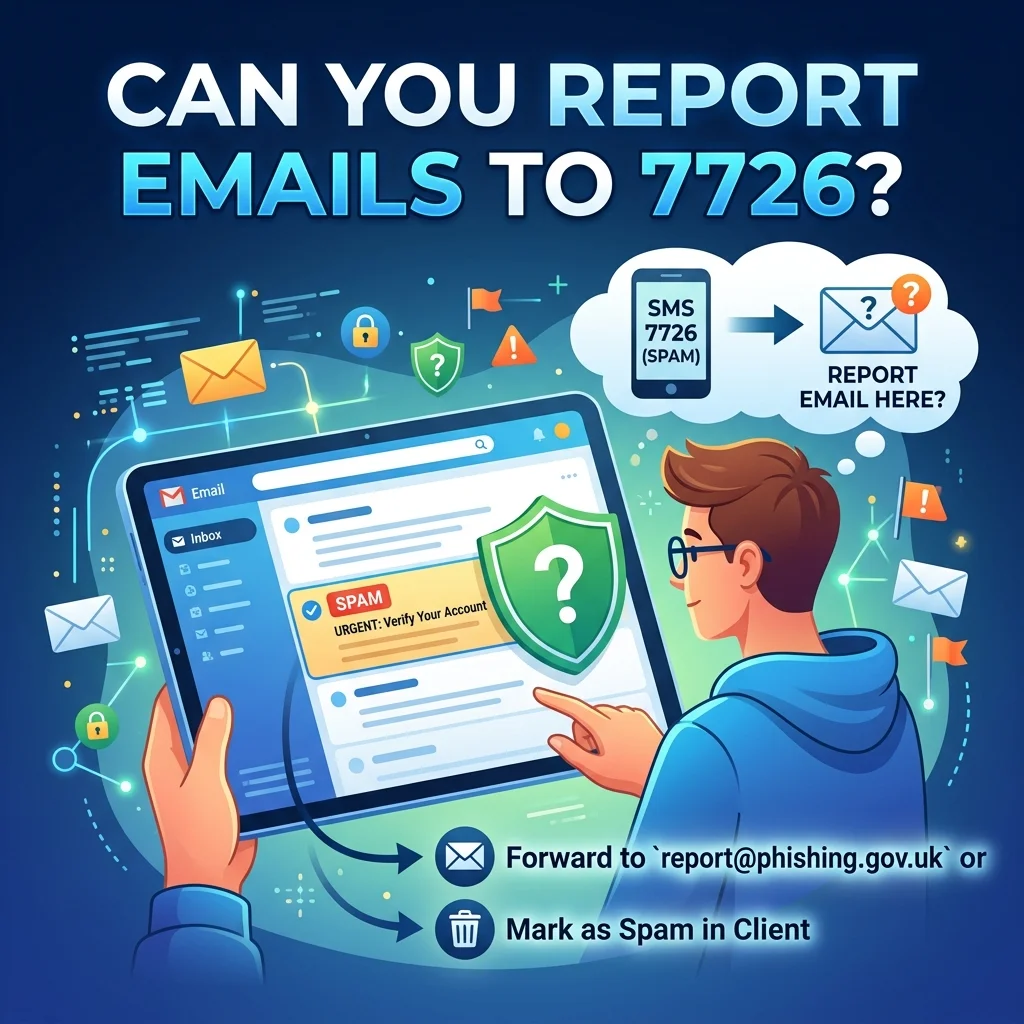
No. The 7726 shortcode is primarily intended for mobile spam reporting, particularly suspicious text messages and, where supported, scam calls.
Suspicious emails should be reported through the appropriate email provider or government and fraud-reporting channels.
For example, UK users can report certain phishing emails through the relevant government reporting service.
Do not forward suspicious emails to 7726 unless your provider specifically instructs you to do so.
📋 Frequently Asked Questions About 7726 Text Messages
What does 7726 mean?
7726 spells SPAM on a traditional phone keypad. It is used by participating mobile providers as a shortcode for reporting spam and suspicious communications.
What is a 7726 text message?
A 7726 text message usually refers to a suspicious or unwanted text that can be forwarded to the 7726 spam-reporting service for investigation by a participating mobile provider.
Is forwarding a text to 7726 free?
The 7726 reporting service is generally provided free of charge by participating carriers. Carrier policies can vary, so check your provider’s current instructions if you are unsure.
What happens after I report a message to 7726?
Your mobile provider may analyze the reported message and related information. Depending on its findings, the provider may use the information to investigate the sender, improve filtering, or take other appropriate action.
Can I report scam calls to 7726?
Some participating carriers support scam-call reporting through 7726. The exact process varies, so follow your carrier’s instructions.
Should I reply to a scam text before forwarding it?
No. Avoid replying to suspicious messages. Simply follow your carrier’s reporting instructions and forward the message when appropriate.
Should I click the link to check whether the message is real?
No. A suspicious link can lead to a phishing website or another malicious destination. Verify the claim through an independently obtained official website or phone number.
What if the scammer asks for my verification code?
Do not share it. One-time verification codes can be used to gain access to accounts. If you already shared one, immediately secure the affected account and contact the relevant service.
Can I report a spam text even if I am not sure it is a scam?
If a message appears suspicious or unwanted, you can follow your carrier’s spam-reporting instructions. If you are unsure, verify the message independently rather than clicking its links.
Is 7726 available everywhere?
No. The service is supported by participating carriers and availability varies by country and provider. Check your mobile network’s current instructions.
What should I do if I already responded to a scam text?
Stop communicating with the sender and avoid providing additional information. If you shared financial or account information, contact the relevant bank or service immediately and report the incident through the appropriate fraud-reporting channel.
Can I report suspicious emails to 7726?
The shortcode is intended primarily for mobile spam reporting. Use your email provider or an appropriate fraud-reporting service for suspicious emails.
✅ Conclusion
The 7726 text message reporting service gives mobile users a simple way to fight back against spam and scams. Because 7726 spells SPAM on a phone keypad, the number is easy to remember when a suspicious message appears on your phone.
If you receive a message claiming that you won a prize, owe a fine, have a delivery problem, qualify for compensation, or need to make an urgent payment, stop before clicking anything.
Do not reply. Do not share passwords, verification codes, banking information, or other sensitive details. Instead, verify the claim through an official source and report the suspicious message to 7726 if your carrier supports the service.
After reporting it, block the sender and delete the message. If you have already shared information or sent money, contact your bank or the affected service immediately and report the incident to the appropriate authorities.
A single report may seem small, but reporting suspicious messages helps mobile providers identify patterns and improve their defenses against spam and fraud. Remember the simple rule: 7726 spells SPAM.

Amelia Brooks is a passionate writer specializing in text meanings, slang, and digital communication trends. She simplifies modern messaging to help readers understand every text with ease.